🍽️
Curated Low-Sodium Kitchen
Recipe Studio
Browse, filter, and cook your low-sodium favorites from premium card-stock recipes.
87 recipes
Studio cards
🧂
Sodium smart
📸
Serving photos
Sodium Smart
Low sodium. High flavor.

Cook smarter without chasing sodium labels.

Plan meals, track your daily sodium, and keep favorite low-sodium recipes close at hand.

86+
Recipes
2,000
MG Limit
MG Today

Choose your cooking style

Recipe categories

Featured ideas

Fresh picks

Your low-sodium toolkit

Quick actions
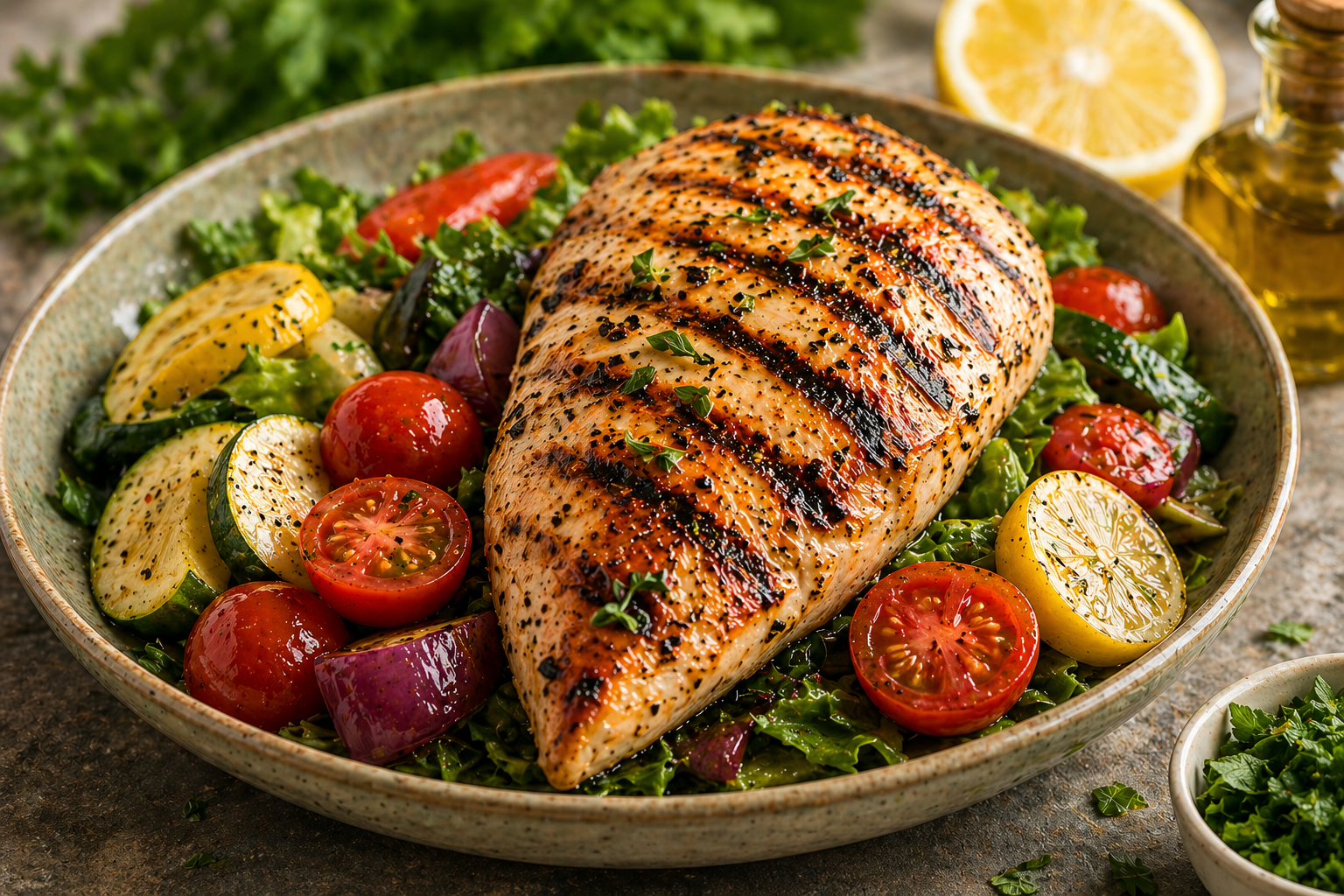
Prepared meal serving suggestion
Serving suggestion
New Recipe
Add to your SodiYUM! collection
📸 Recipe Photo
🍽️
Custom recipe photo preview
Add a photo for My Recipes
Choose a prepared-dish photo. SodiYUM will shrink it before saving so it does not stuff localStorage like a Thanksgiving fridge.
Optional. Custom photos appear on Recipe Studio cards and Recipe Detail.
🥕 Ingredients
Edit or delete any ingredient — nutrition auto-updates.
📋 Instructions
Enter one step per line.
Leave blank if not applicable.
📊 Nutrition (per serving)
💡 Chef's Notes
Delete Recipe?
This will permanently remove this recipe from your collection.
🥫
Food Database
Your custom ingredients & their exact nutrition
🥫
Add Food
Exact nutrition per serving
🔍 Find by Name or Barcode
⚠️ Search results are AI estimates. For completely accurate nutritional data, always verify info with the product label.
or enter manually
Food Details
Nutrition Per Serving from the label
❤️
Saved Recipes
Favorites & Collections
My Collections
📁
Collection
🥗
What Can I Make?
Bright ideas from what you already have
🥕
Start with an ingredient
Type an ingredient and press Enter or comma to add it. Matching recipes appear right away.
🛒
Low-Sodium Pantry Shelf
Pantry Essentials
The low-sodium swaps, shelf-stable staples, and kitchen tools that help SodiYUM! recipes work beautifully.
18 Useful picks
5 Categories
Low Sodium focus
Curated for the recipes inside SodiYUM! Every item here is something I actually use, recommend, or built recipes around. Amazon links may earn a small commission at no extra cost to you.
Sauces & Seasonings
Big flavor, less sodium
🥥
Broths & Bases
The flavor foundation
🍲
Pantry Essentials
Everyday low-sodium helpers
🥫
Spices & Extras
Flavor without the salt shaker
🌶️
Instant Pot & Kitchen Tools
Helpful gear for better results
Affiliate note As an Amazon Associate, SodiYUM! earns from qualifying purchases. Prices, availability, and sodium values can change, so always check the product label before buying or cooking.
🍴 Restaurant Sodium Scout

Dining Out

Check menu items, scan photos, read restaurant links, and keep your low-sodium day from getting ambushed by a breadstick.

Loading budget Daily sodium left
4 ways Search, photo, URL, history
AI assist Estimates plus swaps
📷
Scan a Menu Photo
Take a photo of a physical menu, or use a screenshot from a restaurant website, and SodiYUM will hunt for lower-sodium options.
Works best with a clear, well-lit image of one menu page. Bigger text and less glare give the AI better eyes.
🔗
Restaurant Menu URL
Paste a link to an online menu. If the site allows reading, SodiYUM will identify lower-sodium choices and items to avoid.
If a restaurant blocks the menu reader, switch to Photo and scan a screenshot instead.
No recent lookups yet.
Dining Out searches will appear here.
🔄
Sodium-smart swap library
Low-Sodium Swaps
Quick kitchen substitutions, rinse-first tricks, and Instant Pot technique notes for keeping flavor high and sodium low.
🥢
Soy sauce rescue
Coconut aminos can save about 900mg per tablespoon.
Biggest swap
🍶
Broth reset
No-salt broth keeps soups, rice, sauces, and braises flexible.
−570mg
💡
Use swaps as a starting point, then build flavor in layers.
Savings are estimates and depend on brand, serving size, and label math. Pair swaps with herbs, acid, aromatics, browning, and texture for bigger flavor without the salt pileup.
🫙 Sauces & Condiments
🥢
Soy Sauce (1 tbsp)
replace with
Coconut Aminos (1 tbsp)
Same umami depth, slightly sweeter. Use 1:1.
−900mg
🍅
Regular Canned Tomatoes
replace with
No-Salt-Added Canned Tomatoes
Identical flavor — the salt in regular adds nothing you can't add yourself.
−160mg
🥫
Regular Tomato Paste
replace with
No-Salt-Added Tomato Paste
Use 1:1. Concentrated tomato flavor, zero sodium.
−130mg
🥣
Regular Worcestershire Sauce
replace with
Low-Sodium Worcestershire
Lea & Perrins makes a low-sodium version. Use 1:1.
−140mg
🥗
Regular Dijon Mustard (1 tbsp)
replace with
Low-Sodium Dijon Mustard
Grey Poupon makes a low-sodium version. Essential for recipes using multiple tablespoons.
−120mg
🍶
Regular Chicken / Beef Broth
replace with
No-Salt-Added Broth
Swanson and Pacific Foods both make excellent no-salt versions. Use 1:1.
−570mg
🧂 Salty Ingredients — Rinse First
🫒
Olives (from jar)
rinse under cold water 30 sec
Rinsed Olives
Removes ~40% of brine sodium while keeping all the flavor. Pat dry before using.
−120mg
🌶️
Capers (from jar)
rinse under cold water 1 min
Rinsed Capers
Rinse thoroughly — capers are packed in very salty brine. The tangy flavor stays.
−200mg
🥬
Sauerkraut (from can/jar)
rinse and drain well
Rinsed Sauerkraut
Removes up to 50% of sodium. Still tangy and fermented — just less salty.
−280mg
🫑
Pepperoncini (from jar)
rinse and soak 5 min
Rinsed Pepperoncini
Soak in cold water for 5 minutes after rinsing. Reduces sodium by ~40%.
−150mg
🥫 Canned Goods
🫘
Regular Canned Beans
drain and rinse thoroughly
Rinsed Canned Beans (or No-Salt-Added)
Rinsing removes ~40% of sodium. No-salt-added removes it all. Both work great.
−160mg
🐟
Regular Canned Tuna
replace with
No-Salt-Added Canned Tuna
Wild Planet and Whole Foods 365 make great no-salt versions. Same protein, fraction of sodium.
−250mg
🧀 Dairy & Cheese
🧀
Regular Butter (1 tbsp)
replace with
Unsalted Butter
Always use unsalted — you control the salt. Use 1:1.
−90mg
🫙
Salted Panko / Breadcrumbs
replace with
Unsalted Panko Breadcrumbs
Ian's and Kikkoman both make unsalted versions. Use 1:1.
−150mg
🥩 Proteins
🍖
Regular Italian Sausage
replace with
Low-Sodium Italian Sausage
Ask at the butcher counter for fresh-made low-sodium sausage. Can save 300mg+ per link.
−350mg
🥓
Regular Bacon
replace with
Low-Sodium Turkey Bacon
Applegate and Butterball make low-sodium turkey bacon. About half the sodium of regular.
−220mg
🍤
Shrimp (pressure cooked)
never pressure cook — add after
Shrimp added post-pressure on Sauté
Shrimp turns rubbery under pressure. Always stir in at the end on Sauté mode, 2-3 minutes only.
⚡ Instant Pot Techniques
🍚
Cooking rice with everything
use pot-in-pot method instead
Rice in a bowl on a trivet above the main dish
Rice and proteins often need different cook times. Pot-in-pot lets both finish perfectly at once.
🧈
Adding dairy during pressure cook
always add after pressure releases
Cream, cheese, sour cream added post-cook
Dairy curdles under pressure. Stir in after releasing pressure, on Keep Warm or Sauté.
🍗
Different proteins together
use two-stage cooking
Cook longer-cooking protein first, add fast-cooking protein after
Chicken thighs (20 min) and shrimp (2 min) can't pressure cook together. Stage them.
⏱️
Kitchen Command Center
Kitchen Timer
Run multiple timers with a repeating alarm until you stop it.
📏
Kitchen Measurement Atelier
Unit Converter
Fast volume, weight, and oven-temperature conversions for low-sodium cooking.
3 Kitchen modes
11 Quick tools
12 Reference cards
Oven temperature
Fahrenheit ↔ Celsius
🌡️
Fahrenheit °F
Celsius °C
Common oven temps: 325°F=163°C · 350°F=177°C · 375°F=191°C · 400°F=204°C · 425°F=218°C · 450°F=232°C
🥄 Volume: Spoons & Cups
Teaspoons to tablespoons
tsp
=
Tablespoons to cups
tbsp
=
Cups to tablespoons
cups
=
Cups to fluid ounces
cups
=
Cups to milliliters
cups
=
Fluid ounces to milliliters
fl oz
=
⚖️ Weight
Ounces to grams
oz
=
Grams to ounces
g
=
Pounds to grams
lbs
=
Pounds to kilograms
lbs
=
Kilograms to pounds
kg
=
📋 Quick Reference
1 tbsp3 tsp
1 cup16 tbsp
1 cup8 fl oz
1 cup237 ml
1 fl oz30 ml
1 oz28g
1 lb454g
1 kg2.2 lbs
1 stick butter½ cup / 8 tbsp
1 can, 15oz1¾ cups
1 lb chicken~3 cups cooked
1 cup dry rice~3 cups cooked
🌡️
Temperature Guide
Safe internal cooking temperatures
🐔 Poultry
🍗
Chicken — all cuts
165°F (74°C)
Breasts, thighs, drumsticks, wings, and ground chicken. Always use a meat thermometer — color is not a reliable indicator.
Safe
🦃
Turkey — whole & parts
165°F (74°C)
Check temperature in the thickest part of the thigh, away from bone. Stuffing inside the bird must also reach 165°F.
Safe
🐷 Pork
🥩
Pork chops, tenderloin, roasts
145°F (63°C) + 3 min rest
USDA updated this in 2011 — a slight blush of pink is perfectly safe and actually produces juicier results. Let rest 3 minutes before serving.
Safe
🍖
Ground pork
160°F (71°C)
Ground meat requires higher temps than whole cuts because surface bacteria can be mixed throughout during grinding.
Safe
🌭
Fresh sausage (bratwurst, Italian)
160°F (71°C)
Fresh uncooked sausage must hit 160°F. Pre-cooked sausage just needs to reach 140°F to be safely reheated.
Safe
🥩 Beef & Lamb
🥩
Steaks & roasts — Rare
125°F (52°C)
Cool red center. Safe for intact whole-muscle beef where surface bacteria are killed by searing. Not recommended for immunocompromised individuals.
Caution
🥩
Steaks & roasts — Medium-Rare
135°F (57°C)
Warm red center. The sweet spot for ribeyes, strip steaks, and tenderloin. Pull from heat and rest 5 minutes — carryover cooking adds ~5°F.
Popular
🥩
Steaks & roasts — Medium
145°F (63°C)
Pink center, fully safe per USDA. Best for thicker cuts like chuck roast and sirloin. Rest 3 minutes minimum.
Safe
🍔
Ground beef & lamb
160°F (71°C)
Burgers and meatballs must hit 160°F all the way through — no pink, no exceptions. Color alone is unreliable; always use a thermometer.
Safe
🍖
Brisket, short ribs, chuck roast (braised)
200–205°F (93–96°C)
For fork-tender braised and smoked beef, you want to go well past food-safe temps. Collagen converts to gelatin between 190–205°F, giving that melt-in-your-mouth texture.
Tender
🐟 Fish & Seafood
🐟
Fish (salmon, cod, catfish, tilapia)
145°F (63°C) or until flakes easily
Fish should flake easily with a fork and be opaque throughout. Salmon is often pulled at 125–130°F for a silky, restaurant-style texture.
Safe
🍤
Shrimp, lobster, crab
145°F (63°C) or until opaque
Shrimp cook in 2–3 minutes. They're done when they curl into a C-shape and turn pink-white opaque. An O-shape means overcooked and rubbery. Never pressure cook.
Safe
⚡ Instant Pot Pressure Times
🍗
Chicken breasts (boneless)
8 min HIGH + 5 min natural release
Thicker breasts may need 10 min. Always verify with thermometer — should reach 165°F.
🍗
Chicken thighs (boneless)
10–12 min HIGH + 5 min natural release
Thighs are more forgiving than breasts — they stay juicy even slightly overcooked. Great for shredding.
🥩
Chuck roast / beef stew
35–45 min HIGH + 15 min natural release
For fork-tender results aim for 45 min on large cuts (3+ lbs). Natural release keeps meat juicy.
🍖
Pork shoulder / butt
60–90 min HIGH + 20 min natural release
1 hour per pound is a good rule of thumb. For pulled pork you want it completely fall-apart tender.
🍖
Pork ribs (spare/baby back)
25–30 min HIGH + 15 min natural release
Finish under the broiler for 3–5 min to caramelize the sauce and get a proper bark.
🐟
Salmon / fish fillets
3 min HIGH + quick release
Always steam fish on a trivet above liquid. 3 min produces silky results — never go longer or it will dry out completely.
🫘
Dried beans (soaked overnight)
25–30 min HIGH + 20 min natural release
Unsoaked beans need 40–45 min. Never add salt or acidic ingredients until beans are fully tender — they prevent softening.
⏸ Carryover Cooking — Pull Early
🌡️
Steaks & thick chops
Pull 5°F below target temp
A 1-inch steak resting on a board rises 5–10°F after leaving heat. Pull at 130°F for medium-rare, rest 5 min, serve at 135°F.
🍗
Whole roasts & whole chicken
Pull 5–10°F below target temp
Large roasts carry over 10°F or more. Tent loosely with foil and rest 10–15 minutes before carving.
Cook Mode
0%
Step 1 1 of 1
Tap the card or swipe to move through the recipe
🧂
Daily sodium budget
Sodium Tracker
2,000mg daily budget
0
mg today
2,000remaining 2,000mg goal ✏️ 0entries
📅
Plan the week
Meal Planner
🍽️
Meals planned
0
🧂
Weekly sodium
0mg
📊
Avg per meal
0mg
🛒
Weekly grocery run
Shopping List
0 meals · 0 ingredients
🍽️
Meals scanned
0
🥕
Ingredients
0
🛍️
Need to buy
0
Organized from your week
Ingredients
📊
Nutrition snapshot
Nutrition Dashboard
From your logged meals
Smart Meal Studio
AI Meal Suggestions
Personalized ideas tuned to your pantry, cravings, schedule, and sodium budget.
🌿
Salt-Free Flavor Studio
Flavor Builder
Build bold low-sodium flavor stacks using herbs, spices, acids, aromatics, browning, heat, and texture.
🧂
Sodium approach
Flavor first, salt last
🥫
Pantry items
0
🧊
Fridge items
0
Flavor brief
Tell me what you are cooking
Describe a dish, ingredient, or leftover. SodiYUM will build a no-salt flavor plan with exact layers and finishing moves.
🍽 Dish or ingredient
✨ Flavor direction
🌎 Cuisine lane
🔥 Heat level
🧠 Use this context
🌿
Ready when your food tastes a little too quiet.
Pick a direction and SodiYUM will build a layered flavor strategy without leaning on salt.
🩺
Shareable health summary
Doctor Report
Sodium and nutrition summary PDF
Report period
Choose a date range
Patient info
Optional details
Ready to export
Downloads to your device so you can email, print, or bring it to your appointment.
🥗
Pantry-Powered Ideas
Pantry Match
Turn the food you already have into low-sodium dinner possibilities.
🥫
Pantry status
🧂
Sodium lens
Low-sodium first
Choose your match style
Start with what you already have
📖
SodiYUM! Owner’s Manual
Complete User Guide
A polished walkthrough for recipes, planning, tracking, AI tools, kitchen helpers, sync, and daily cooking confidence.
11 Chapters
Quick Jump tabs
Safe App guidance
Jump to:
Chapter 1 — Welcome

SodiYUM! is a free, full-featured recipe and kitchen management app. It was born from a passion for low-sodium cooking, but every feature — recipe browsing, meal planning, Cook Mode, the Food Database, AI suggestions, timers, and more — works beautifully for any style of cooking.

Whether you're tracking sodium for health reasons, cooking for someone with dietary needs, or simply a home chef who loves great organization and smart tools, this app is built for you. The sodium tracking features are there when you want them and completely out of the way when you don't.

What's Inside
🍽️
89+ Recipes
Instant Pot, Slow Cooker, Grill & Oven
📅
Meal Planner
Plan your week & shopping list
🧂
Sodium Tracker
Optional nutrition logging tool
AI Suggestions
Personalized meal ideas
🥗
Pantry Match
Cook from what you have
🥫
Food Database
3M+ products, barcode scan
🩺
Doctor Report
Printable PDF nutrition summary
☁️
Cloud Sync
Back up & sync all devices
Chapter 2 — Getting Started
Installing the App

SodiYUM! is a web app — no app store required. For the best experience, add it to your home screen.

iPhone / iPad (Safari): Tap the Share button → Add to Home Screen → Add.

Android (Chrome): Tap the three-dot menu → Add to Home Screen.

📴 Works Offline
Once loaded, the app works without internet. All 89+ recipes are stored locally. Internet is only needed for barcode scanning, nutrition lookup, URL import, and AI features.
The Home Screen

Large tiles give one-tap access to every feature. The stat bar at the top shows your recipe count, daily goal (if you use the tracker), and today's total.

Tile
Opens
🍽️ Recipes
Browse & search all recipes
❤️ Saved
Favorites & collections
✨ Meal Suggestions
AI-powered recipe ideas
📅 Meal Planner
Weekly planner + shopping list
🧂 Sodium Tracker
Optional nutrition log & history
🥗 What Can I Make?
Pantry-to-recipe matching
✏️ New Recipe
Add manually, URL, photo, or AI
🥫 Food Database
Your ingredient library
⏱️ Kitchen Timer
Multiple countdown timers
❓ Help & Tools
Guides, converters & AI setup
Bottom Navigation Bar
Icon
Destination
🍽️ Recipes
Full recipe browser
❤️ Saved
Favorites & collections
⚡ Instant Pot
IP-only recipe filter
🥫 Foods
Food Database
✏️ Add
Add new recipe
Chapter 3 — Finding & Using Recipes

The recipe browser shows all built-in and custom recipes. Each card displays the name, cuisine, cooking method, and a sodium badge — useful if you're tracking intake, easy to ignore if you're not.

Sodium Badge
≤ 300 mg
Green
301–400 mg
Amber
400 mg+
Red
Search & Filter

Type any word in the search bar — names, ingredients, cuisines, or methods update instantly. Tap filter chips (Instant Pot, Grill, Oven, Slow Cooker, or cuisine) to narrow the list. Tap the active chip again to clear it.

Inside a Recipe
Feature
How to Use
Edit ingredients
Tap any ingredient line to swap, reduce, or add items
Adjust servings
Tap − / + to scale; all quantities & nutrition update
Reset to original
Tap ↩ Reset to undo all ingredient edits
Stovetop / IP tabs
Tap either tab to switch instruction sets
Cook Mode
Full-screen steps with timers & screen-on lock
✓ db badge
Exact label nutrition from your Food Database is used
Chapter 4 — Adding Your Own Recipes

Add recipes four ways — all saved permanently to your device.

Method
How
📝 Manual
Tap ✏️ Add and fill in the form
🔗 From URL
Paste any recipe website link; AI extracts it
📷 Scan Photo
Photograph a recipe card, cookbook, or handwritten note
📋 Paste Text
Paste any recipe text; AI parses it into the form
⚡ URL, Photo & Paste use built-in AI
These methods use the app's built-in AI. No personal API key is required on this version.
Estimating Nutrition

After entering ingredients, tap ✨ Estimate. The app calculates sodium, calories, protein, carbs, fat, and fiber — using your Food Database first, then USDA data, then AI estimates as fallback.

Chapter 5 — Food Database

Your personal ingredient library with label-accurate nutrition. The more items you add, the more precise your calculations become.

Adding Foods

By name: Tap 🥫 Foods → + Add Food → type brand & product name → select from results → Save.

By barcode: Tap the 📷 button in Add Food → point camera at any package barcode → nutrition fills in automatically.

Pantry Staples: Mark any item as a pantry staple to make it available in Pantry Match.

Chapter 6 — Sodium Tracker

An optional nutrition logging tool. If you're monitoring sodium or any other dietary goal, log meals here to see daily, weekly, and monthly trends. If tracking isn't part of your cooking life, this feature has no effect on the rest of the app.

Logging a Meal

Open Sodium Tracker → tap + Log Food / Meal → search by recipe or food name → confirm serving size. The arc gauge updates immediately.

Views
Tab
Shows
Today
Arc gauge with all meals logged today
Week
7-day bar chart & daily totals
Month
30-day summary with averages
All Time
Complete history & overall averages
🍔 Dining Out
AI restaurant sodium lookup
✏️ Your Goal, Your Rules
Tap the goal number in the Today view to set any daily target that works for you. The default 2,000 mg follows the American Heart Association guideline — but it's just a starting point.
Nutrition Dashboard & Doctor Report

Tap 📊 Nutrition Dashboard for a full macro breakdown by date. Tap 🩺 Doctor Report (PDF) to generate a printable summary for your physician — choose 30 days, 90 days, or a custom range.

Chapter 7 — Meal Planner & Shopping List

A 7-day grid with Breakfast, Lunch, Dinner, and Snack slots. Tap any empty slot to assign a recipe; tap a filled slot to replace or remove it.

Shopping List

Tap 🛒 Shopping List (top-right of the Planner) to auto-generate a consolidated ingredient list from your whole week's plan. Tap items to check them off as you shop.

Chapter 8 — AI Features
✅ Built-In AI
AI features on this version run through the SodiYUM backend. No separate account or personal API key is required.
AI Meal Suggestions

Tap ✨ Meal Suggestions → describe your mood or craving → choose cooking method & time available → tap Suggest Meals for Me. The AI considers your pantry, fridge contents, and (if you're using the tracker) your sodium remaining for the day.

Pantry Match

My Recipes mode: Searches your existing collection for recipes that match what you have.

AI Suggests mode: The AI generates brand-new recipe ideas from your pantry contents — great for inspiration when you're not sure what to cook.

Restaurant Lookup

Tap the Dining Out tile on the home screen. Enter a restaurant and menu item to get AI-powered sodium data from published nutrition information.

Chapter 9 — Kitchen Tools
Kitchen Timer

Run multiple independent countdown timers simultaneously. Tap + Add Timer, label it, set the time, and tap Start. Each timer chimes independently and can be paused, resumed, or reset.

Substitution Guide

A comprehensive ingredient swap reference organized by category: Sauces & Condiments, Salty Ingredients (Rinse First), Canned Goods, Dairy & Cheese, Proteins, and Instant Pot Techniques.

Temperature Guide

Safe internal temperature targets for every protein — Poultry, Pork, Beef & Lamb, Fish & Seafood — plus Instant Pot pressure times and a carryover cooking reference.

Unit Converter

Temperature (°F ↔ °C), Volume (tsp / tbsp / cups / fl oz / ml / L), Weight (oz / lb / g / kg), and a Quick Reference card for common kitchen conversions.

Chapter 10 — Cloud Sync & AI
Cloud Sync

Backs up your recipes, favorites, tracker log, planner, and pantry. Open Help & Tools → Cloud Sync, enter your email and password, and tap Sign Up.

⬆️ Push to Cloud — saves your device data to the cloud.
⬇️ Pull from Cloud — restores cloud data to your device.

To set up on a new device: Sign In, then Pull from Cloud.

How AI Works in This Version

AI features in this version are built into SodiYUM and routed through the secure backend.

You do not need to create a separate AI account or paste a personal API key.

If an AI feature is temporarily unavailable, wait a moment and try again.

Only the text or image needed for your request is sent for processing.

Chapter 11 — Tips & Best Practices
Smart Ingredient Choices

These principles lead to more flavorful, balanced cooking for any chef:

  • No-salt-added canned goods give you full control over seasoning from scratch.
  • Coconut aminos are a milder, slightly sweeter alternative to soy sauce.
  • Rinsing capers, olives, and pepperoncini tames their brininess and lets other flavors shine.
  • Natural peanut butter has a cleaner, more versatile flavor than standard varieties.
  • A squeeze of fresh lemon or lime at the end of cooking brightens every dish — one of the most powerful techniques in any kitchen, regardless of how it was seasoned.
Instant Pot Best Practices
  • Brown proteins and aromatics on Sauté first — it builds flavor pressure cooking alone cannot.
  • Use the pot-in-pot method (trivet + heat-safe bowl) to cook rice and meat simultaneously.
  • Use natural pressure release for meat — quick release can toughen proteins.
  • Cook fish and shrimp as a second stage (3 min HIGH on the trivet) after grains finish.
⚙️ The Tracker Is Completely Optional
Every feature — recipes, planner, food database, AI, cook mode, timers — works independently of the Sodium Tracker. If tracking isn't part of your cooking life, simply leave it alone.
Data & Privacy
  • All your data lives on your device in browser local storage. Use Cloud Sync to protect it.
  • AI requests are handled through the app's secure backend. No personal API key is stored on this device.
  • The app contains no advertising and collects no personal data for commercial purposes.
FAQ
Question
Answer
I don't have dietary restrictions. Is this still useful?
Absolutely — recipes, planner, cook mode, AI, timers, and food database all work for any home cook.
My data disappeared after clearing the browser.
Data lives in local storage. Clearing cache removes it. Use Cloud Sync to protect your data.
Why can't I import from a URL?
The AI service may be temporarily unavailable. Wait a moment and try again.
The barcode scanner isn't finding my product.
Try searching by brand + product name instead.
Does the app work on a desktop?
Yes — open in any browser. Install as a PWA via Chrome for the best experience.
How do I delete a custom recipe?
Open the recipe, scroll to the bottom, and tap Delete.
Can I change my daily sodium goal?
Yes — tap the goal number in the Sodium Tracker Today view, or ignore the tracker entirely.
Quick Reference Card
Sodium Badge Colors
≤ 300 mg
Green
301–400 mg
Amber
400 mg+
Red
Key Ingredient Swaps
Instead of…
Use…
Soy sauce (900+ mg/tbsp)
Coconut aminos (~90 mg/tbsp)
Regular Dijon mustard
Low-sodium Dijon
Regular canned tomatoes
No-salt-added canned tomatoes
Regular canned beans
No-salt-added, drained & rinsed
Regular broth / stock
No-salt-added broth
Standard peanut butter
No-salt-added peanut butter
Capers / olives / pepperoncini
Rinse thoroughly under cold water
Big Flavor. Mindful Sodium. Pure Joy.
© 2026 SodiYUM! All rights reserved.
🛠️
Kitchen command center
Help & Tools
Quick utilities, smart cooking helpers, sync controls, and SodiYUM guidance in one polished toolbox.
🌿
Flavor Builder
Design bold no-salt flavor profiles
Build flavor →
SodiYUM Twin
Turn recipes into lower-sodium twins
Try Twin →
🔧
Kitchen Tools
Fast helpers for cooking, swapping, timing, and planning.
🔄
Substitutions
Low-sodium swaps
🌡️
Temperatures
Safe cooking temps
📏
Unit Converter
Cups, oz, ml & more
⏱️
Kitchen Timer
Multi-stage cooking
AI
🥗
Pantry Match
Find recipes from what you have
☁️
Account & Data
Keep your recipes, photos, and settings protected.
☁️
Cloud Sync
Sign in to sync
📦
Backup & Restore
Export or import data
📖
User Guide
Tips & how-to's
❤️
Community
Share the app and stock your low-sodium pantry.
🛒
Pantry Essentials
Recommended products
🔗
Share the App
It's free — spread the word!
86 built-in recipes · Instant Pot, Slow Cooker, Grill & Oven
☁️
Protected Recipe Vault
Cloud Sync
Back up your recipes, favorites, tracker, planner, pantry, and custom photos between your phone and PC.
Recipes Custom saves
Photos My Recipes
Planner Meals and pantry
Sign in required
Protect your SodiYUM! data
Create an account or sign in to save your app data to the cloud, then restore it on another device.
🔐
📱
Phone to PC Start on your phone, continue on your computer.
🥘
My Recipes saved Custom recipes and photos stay connected to your account.
🛡️
Backup safety net Useful before clearing browser data or changing devices.
Cloud Sync protects app data stored in your browser. For extra safety, use Backup & Restore before major device changes.
📦
Portable Data Vault
Backup & Restore
Save a personal JSON backup of your SodiYUM! data, then restore it when you need a clean safety net.
Recipes Custom meals
Planner Meals & favorites
Pantry Foods & tracker
Included in your backup
Your app data, packed safely
This creates a downloadable JSON file you can store on your computer, cloud drive, or external backup location.
🗃️
Custom recipes
Recipe photos
Favorites & planner
Food database entries
Pantry inventory
Tracker history
⚠️
Restore with care Restoring will replace current data on this device. Save a fresh backup first if you want a rollback point.
💾
Local safety copy Great before clearing browser data or testing big changes.
🔁
Manual restore You choose when to import your saved JSON file.
☁️
Cloud Sync partner Use this alongside Cloud Sync for extra peace of mind.
🤖
AI Settings
Built-in AI status and usage
These features use AI:
✨ Estimate Nutrition
🔗 Import from URL
📷 Barcode Scan
📋 Parse Pasted Text
✅ Built-in AI is active on this version. No personal API key is required.
📊 AI Usage Tracker
$0.0000
est. total spend
tracking since today
Total calls0
Tokens in / out0 / 0

📲 Install SodiYum!

Add it to your home screen for the full app experience.
1
Open in Safari
This must be done in Safari — not Chrome or Firefox. Copy the URL and paste it in Safari if needed.
2
Tap the Share button
At the bottom of Safari, tap the Share icon — a box with an arrow pointing up ↑
3
Tap "Add to Home Screen"
Scroll down the share sheet until you see Add to Home Screen and tap it.
4
Tap "Add"
Confirm the name SodiYum! and tap Add in the top-right corner.
💡 Once installed, SodiYum! works completely offline — no internet needed to browse recipes. Your favorites and custom recipes are saved on your device.
AI Feature
AI is ready
This version of SodiYUM uses built-in AI through the secure backend. No personal API key setup is required.
✅ Open the feature and use it normally.
ℹ️ If the AI service is busy or temporarily unavailable, wait a moment and try again.
Welcome to SodiYUM!
86 low-sodium recipes, built-in tools,
and AI-powered features — all in one place.
💡 SodiYUM! is a web app — no App Store needed. For the best experience, install it directly to your home screen. It works offline once installed.
Install to your home screen
1
Open this page in Safari — not Chrome or Firefox
2
Tap the Share button at the bottom of Safari (the box with an arrow ↑)
3
Scroll down and tap "Add to Home Screen"
4
Tap Add — the SodiYUM! icon will appear on your home screen
🤖

AI Is Built In

URL import, photo scanning, nutrition estimates, Dining Out, Pantry Match, and Meal Suggestions now run through the SodiYUM backend.
No personal API key is required on this version.

✅ AI is ready to use. Just choose a feature and go.
ℹ️ If an AI feature is temporarily unavailable, wait a moment and try again. Any old local API key data on this device is no longer used.
🔍

Enter Barcode

Type or paste the UPC/EAN number from the product packaging.

💡 Live camera scanning works in Chrome or Edge on Android. On iPhone, open the app in Safari.
Point camera at barcode
Hold steady — auto-detects